Runtime decisions in one place
Native f16, compressed KV cache, speculative decoding. Pick from the UI, not a shell flag.
 ChaosEngineAI
Chat, images, video, benchmarks, and an OpenAI-compatible API — local, in one desktop app.
Native MTP on Apple Silicon, draft-model DFlash, tree-aware DDTree. Backend picks the fastest path per model.
Native, TurboQuant, TriAttention, FBCache, TeaCache, TaylorSeer, PAB. Two more — MagCache, FasterCache — reachable via CLI / API for power users.
Throughput, perplexity, and task accuracy. Saved, diffable, comparable.

Catalog, runtime tuning, tool calling, image and video pipelines, server, benchmarks, prompt library, and plugins — one workspace, one mental model.
Native f16, compressed KV cache, speculative decoding. Pick from the UI, not a shell flag.
Run a benchmark, save it, diff it. Know whether a cache strategy or draft model is actually worth it.
Threads, images, videos, templates, logs, adapters, and API snippets all live in one desktop surface.
Discovery, chat, benchmarks, image and video studios, and OpenAI-compatible serving — one runtime-aware desktop.
Curated families, capability filters, direct Hugging Face inspection, and launch-ready variants help you move from browsing to running without context switching.
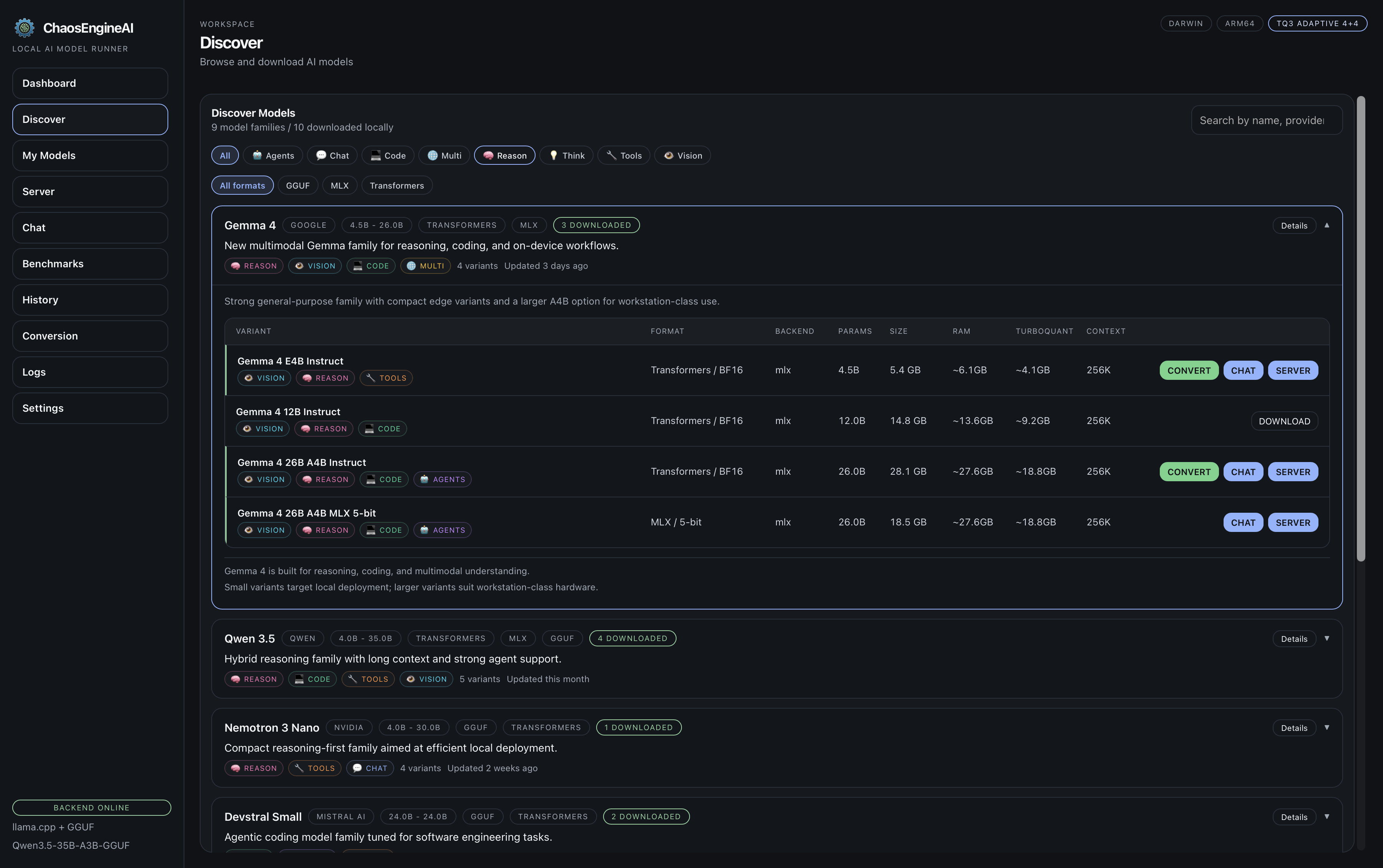
Speculative decoding for speed, cache compression for memory. Real telemetry, not hand-waving.
Native MTP heads on Apple Silicon, draft-model DFlash, tree-aware DDTree. Backend auto-picks based on the model.
Standard decoding keeps the simplest possible path. Turn on DFlash or DDTree when you want faster generation with native f16 cache.
Each strategy is a first-class runtime choice — not a buried config flag.
Native f16 keeps maximum fidelity. Compression backends appear in the app automatically once installed into the local runtime.
Local inference, agent tooling, image and video workflows, evaluation, and developer integrations — one surface.
The built-in OpenAI-compatible server turns the app into a local backend for editors, agents, and CLIs.
{
  "provider": "openai",
  "model": "current-model",
  "apiBase": "http://127.0.0.1:8876/v1"
}
Override OpenAI Base URL
http://127.0.0.1:8876/v1

Add your local model id.
GOOSE_PROVIDER=openai
GOOSE_MODEL=current-model
OPENAI_BASE_URL=http://127.0.0.1:8876/v1
export ANTHROPIC_BASE_URL=http://127.0.0.1:8876/v1
export ANTHROPIC_AUTH_TOKEN=not-needed
A typed CLI that reaches every backend route. Script chat, image, video, benchmarks, setup, and diagnostics.
call <METHOD> <PATH> reaches the remaining routes — 100% of the 125 endpoints.jq and CI jobs.chaosengine-cli load mlx-community/Qwen3.6-35B-A3B-4bit --spec chaosengine-cli prompt "Write a Rust quicksort" --stream --metrics chaosengine-cli video "Aurora over a glacier, drone shot" --model Wan-AI/Wan2.1-T2V-1.3B
Signed release builds for macOS, Linux, and Windows. Source stack: Tauri, React, TypeScript, Rust, Python.
Apple Silicon build with bundled runtime and in-app updates.
LinuxPortable packages for workstation setups and test rigs.
Windowsx64 desktop install path with bundled runtime.
SourceBuild it yourself with Rust, Node 20+, and Python 3.11+.